1. 測試檔案
// FileName: App1.cs
class app
{
[System.STAThread]
static void Main()
{
w1 w = new w1();
w.ShowDialog();
}
}
class w1:System.Windows.Window
{
}
2. 編譯指令
csc /out:App1.exe /target:winexe app1.cs /reference:"C:\Program Files\Reference Assemblies\Microsoft\Framework\v3.0\presentationframework.dll" /reference:"C:\Program Files\Reference Assemblies\Microsoft\Framework\v3.0\windowsbase.dll" /reference:"C:\Program Files\Reference Assemblies\Microsoft\Framework\v3.0\presentationcore.dll"
3. 結果
2012年2月22日 星期三
WPF 命令列編譯
1. 沒有xaml 的WPF專案可以用csc.exe編譯。
http://msdn.microsoft.com/en-us/library/aa970678(v=vs.90).aspx
2. 有xaml檔則可以用msbuild.exe再命令列模式建置
3. Copy
app.xaml
app.xaml.cs
MainWindow.xaml
MainWindow.xaml.cs
Wpfapplication1.csproj
properties 目錄
到同一目錄
4. 以2010命令列模式
msbuild Wpfapplication1.csproj
http://msdn.microsoft.com/en-us/library/aa970678(v=vs.90).aspx
2. 有xaml檔則可以用msbuild.exe再命令列模式建置
3. Copy
app.xaml
app.xaml.cs
MainWindow.xaml
MainWindow.xaml.cs
Wpfapplication1.csproj
properties 目錄
到同一目錄
4. 以2010命令列模式
msbuild Wpfapplication1.csproj
2012年2月16日 星期四
變形金剛試VS2010
1. 怡宏的Virtual Windows 7
2. Android Remote RDP Lite
3. Remote RDP Lite 設定
IP, Port 3389, Screen resolution ... etc
4. 連線
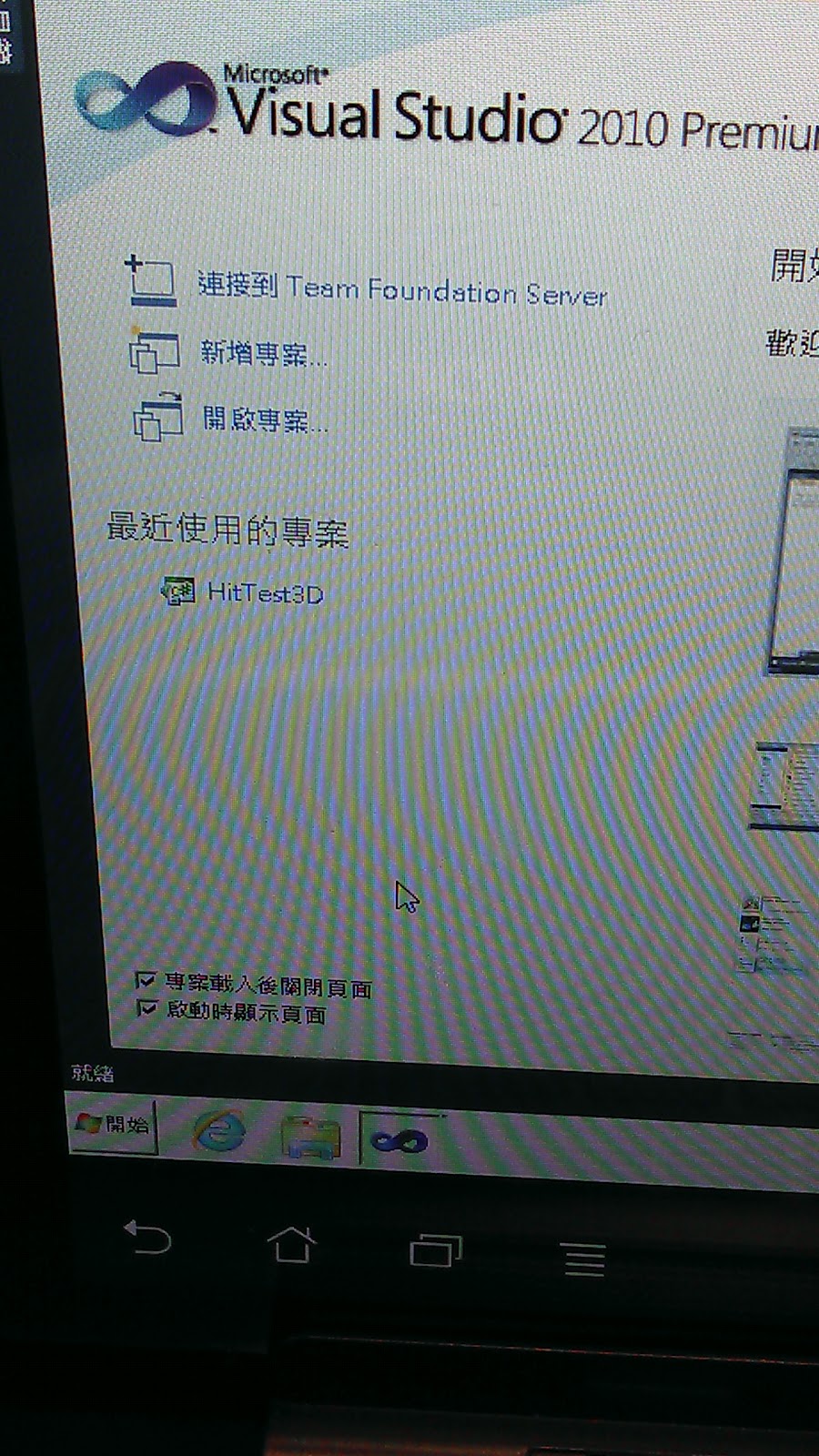
5. 啟動VS2010
6. Run HitTest3D
2012年2月14日 星期二
Expression Encoder 4 Screen Capture malfunction @ Windows 7 x64
Ref:
http://social.expression.microsoft.com/Forums/en/encoder/thread/5786d579-7f1b-42ae-8586-e0a80b7aec55
The function of screen capture was fine in windows 7 x86 system.
It can't be work in x64 version and may be solved by change the resolution test.
http://social.expression.microsoft.com/Forums/en/encoder/thread/5786d579-7f1b-42ae-8586-e0a80b7aec55
The function of screen capture was fine in windows 7 x86 system.
It can't be work in x64 version and may be solved by change the resolution test.
2012年2月11日 星期六
bcdedit 變更Default開機OS(Win8 and Win7)
1. 雙OS Windows 7 / Windows 8
2. 後裝 Windows 8 成為Default OS
3. Command mode: failure
3-1 Boot Configuration Data Edit
C:\>bcdedit
Windows Boot Manager
--------------------
identifier {bootmgr}
device partition=\Device\HarddiskVolume1
description Windows Boot Manager
locale en-US
inherit {globalsettings}
default {default}
resumeobject {db075fb7-2662-11e1-83c4-ff9d1aa23ceb}
displayorder {default}
{current}
toolsdisplayorder {memdiag}
timeout 30
custom:26000025 Yes
Windows 開機載入器
-------------------
identifier {default}
device partition=D:
path \Windows\system32\winload.exe
description Windows Developer Preview
locale en-US
inherit {bootloadersettings}
recoverysequence {db075fb9-2662-11e1-83c4-ff9d1aa23ceb}
recoveryenabled Yes
osdevice partition=D:
systemroot \Windows
resumeobject {db075fb7-2662-11e1-83c4-ff9d1aa23ceb}
nx OptIn
custom:250000c2 1
Windows 開機載入器
-------------------
identifier {current}
device partition=C:
path \Windows\system32\winload.exe
description Windows 7
locale zh-TW
inherit {bootloadersettings}
recoverysequence {db075fb5-2662-11e1-83c4-ff9d1aa23ceb}
recoveryenabled Yes
osdevice partition=C:
systemroot \Windows
resumeobject {db075fb3-2662-11e1-83c4-ff9d1aa23ceb}
nx OptIn
3-2. 變更Default OS by ID 如下
C:\>bcdedit /default {db075fb3-2662-11e1-83c4-ff9d1aa23ceb}
操作順利完成。
C:\>bcdedit
Windows Boot Manager
--------------------
identifier {bootmgr}
device partition=\Device\HarddiskVolume1
description Windows Boot Manager
locale en-US
inherit {globalsettings}
default {default}
resumeobject {db075fb7-2662-11e1-83c4-ff9d1aa23ceb}
displayorder {db075fb8-2662-11e1-83c4-ff9d1aa23ceb}
{current}
toolsdisplayorder {memdiag}
timeout 30
custom:26000025 Yes
Windows 開機載入器
-------------------
identifier {db075fb8-2662-11e1-83c4-ff9d1aa23ceb}
device partition=D:
path \Windows\system32\winload.exe
description Windows Developer Preview
locale en-US
inherit {bootloadersettings}
recoverysequence {db075fb9-2662-11e1-83c4-ff9d1aa23ceb}
recoveryenabled Yes
osdevice partition=D:
systemroot \Windows
resumeobject {db075fb7-2662-11e1-83c4-ff9d1aa23ceb}
nx OptIn
custom:250000c2 1
Windows 開機載入器
-------------------
identifier {current}
device partition=C:
path \Windows\system32\winload.exe
description Windows 7
locale zh-TW
inherit {bootloadersettings}
recoverysequence {db075fb5-2662-11e1-83c4-ff9d1aa23ceb}
recoveryenabled Yes
osdevice partition=C:
systemroot \Windows
resumeobject {default}
nx OptIn
4. The easy way by Winodws 7
4-1 電腦右鍵(內容)
4-2 進階
4-3 啟動及修復設定
4-4 選取Default boot OS
OK!
2. 後裝 Windows 8 成為Default OS
3. Command mode: failure
3-1 Boot Configuration Data Edit
C:\>bcdedit
Windows Boot Manager
--------------------
identifier {bootmgr}
device partition=\Device\HarddiskVolume1
description Windows Boot Manager
locale en-US
inherit {globalsettings}
default {default}
resumeobject {db075fb7-2662-11e1-83c4-ff9d1aa23ceb}
displayorder {default}
{current}
toolsdisplayorder {memdiag}
timeout 30
custom:26000025 Yes
Windows 開機載入器
-------------------
identifier {default}
device partition=D:
path \Windows\system32\winload.exe
description Windows Developer Preview
locale en-US
inherit {bootloadersettings}
recoverysequence {db075fb9-2662-11e1-83c4-ff9d1aa23ceb}
recoveryenabled Yes
osdevice partition=D:
systemroot \Windows
resumeobject {db075fb7-2662-11e1-83c4-ff9d1aa23ceb}
nx OptIn
custom:250000c2 1
Windows 開機載入器
-------------------
identifier {current}
device partition=C:
path \Windows\system32\winload.exe
description Windows 7
locale zh-TW
inherit {bootloadersettings}
recoverysequence {db075fb5-2662-11e1-83c4-ff9d1aa23ceb}
recoveryenabled Yes
osdevice partition=C:
systemroot \Windows
resumeobject {db075fb3-2662-11e1-83c4-ff9d1aa23ceb}
nx OptIn
3-2. 變更Default OS by ID 如下
C:\>bcdedit /default {db075fb3-2662-11e1-83c4-ff9d1aa23ceb}
操作順利完成。
C:\>bcdedit
Windows Boot Manager
--------------------
identifier {bootmgr}
device partition=\Device\HarddiskVolume1
description Windows Boot Manager
locale en-US
inherit {globalsettings}
default {default}
resumeobject {db075fb7-2662-11e1-83c4-ff9d1aa23ceb}
displayorder {db075fb8-2662-11e1-83c4-ff9d1aa23ceb}
{current}
toolsdisplayorder {memdiag}
timeout 30
custom:26000025 Yes
Windows 開機載入器
-------------------
identifier {db075fb8-2662-11e1-83c4-ff9d1aa23ceb}
device partition=D:
path \Windows\system32\winload.exe
description Windows Developer Preview
locale en-US
inherit {bootloadersettings}
recoverysequence {db075fb9-2662-11e1-83c4-ff9d1aa23ceb}
recoveryenabled Yes
osdevice partition=D:
systemroot \Windows
resumeobject {db075fb7-2662-11e1-83c4-ff9d1aa23ceb}
nx OptIn
custom:250000c2 1
Windows 開機載入器
-------------------
identifier {current}
device partition=C:
path \Windows\system32\winload.exe
description Windows 7
locale zh-TW
inherit {bootloadersettings}
recoverysequence {db075fb5-2662-11e1-83c4-ff9d1aa23ceb}
recoveryenabled Yes
osdevice partition=C:
systemroot \Windows
resumeobject {default}
nx OptIn
4. The easy way by Winodws 7
4-1 電腦右鍵(內容)
4-2 進階
4-3 啟動及修復設定
4-4 選取Default boot OS
OK!
2012年2月10日 星期五
Install local cab file (Windows 7)
Ref: http://www.mydigitallife.info/how-to-install-windows-7-local-packs-localpacks-cab-update-file/
1. Prepare local cab file
2. Open command mode with administrator role
3. dism /online /add-package /PackagePath:"...xxx.cab"
1. Prepare local cab file
2. Open command mode with administrator role
3. dism /online /add-package /PackagePath:"...xxx.cab"
2012年2月5日 星期日
MSDNAA IE(X64) Error
There was an error launching File Transfer Manager.
...
The error may be occur due to that I used the IE(x64) to download files.
The error was solved by employ IE(x32) and the file transfer is proceeded.
...
The error may be occur due to that I used the IE(x64) to download files.
The error was solved by employ IE(x32) and the file transfer is proceeded.
訂閱:
意見 (Atom)


+Error.png)